 ShedTab
Play PDF tabs instantly
Reads notes and rhythm from PDFs exported by Guitar Pro and plays them back. Opens .gp, .gpx, .gp5 files and MusicXML too.
Today's practice
Drop in a tab you already have and start practicing right away.
Slow it down. Loop it. Play at your pace.
or open a new tab
Unless you sign in, files are saved only in this browser.
Your tabs and practice history are saved in this browser.
Practice tools
All it takes is a tab. No install, no sign-up.
Reads notes and rhythm from PDFs exported by Guitar Pro and plays them back. Opens .gp, .gpx, .gp5 files and MusicXML too.
Loop just the hard bars and nudge the tempo up a little on every pass until you hit your target.
See which string and fret each note is played on, along with the chord name, the next chord and the hand shape.
Switch between clean, jazz, overdrive, distortion, acoustic and nylon, and transpose up or down in semitones.
Find your entry with a metronome, count-in and a lead-in bar, and drive it all from the keyboard.
Your tabs and practice history stay in this browser, and if you sign in, privately in your account. Nobody else can see them.
Progress
Bars you play get logged on their own, and playing a bar three times without stopping saves that speed. Next time you open the song, it shows you where you got stuck.
Gray once you’ve played it, orange while you’re speeding up, green when it’s at full speed.
Play a bar through three times and that speed becomes its record, whether you loop it or pause and go back. Speed up and your progress climbs with it.
Play for five minutes and the day counts. The calendar shows how many days in a row you’ve kept it going.
Sign in and your tabs and history come with you. Same section, same speed.
Rehearsal
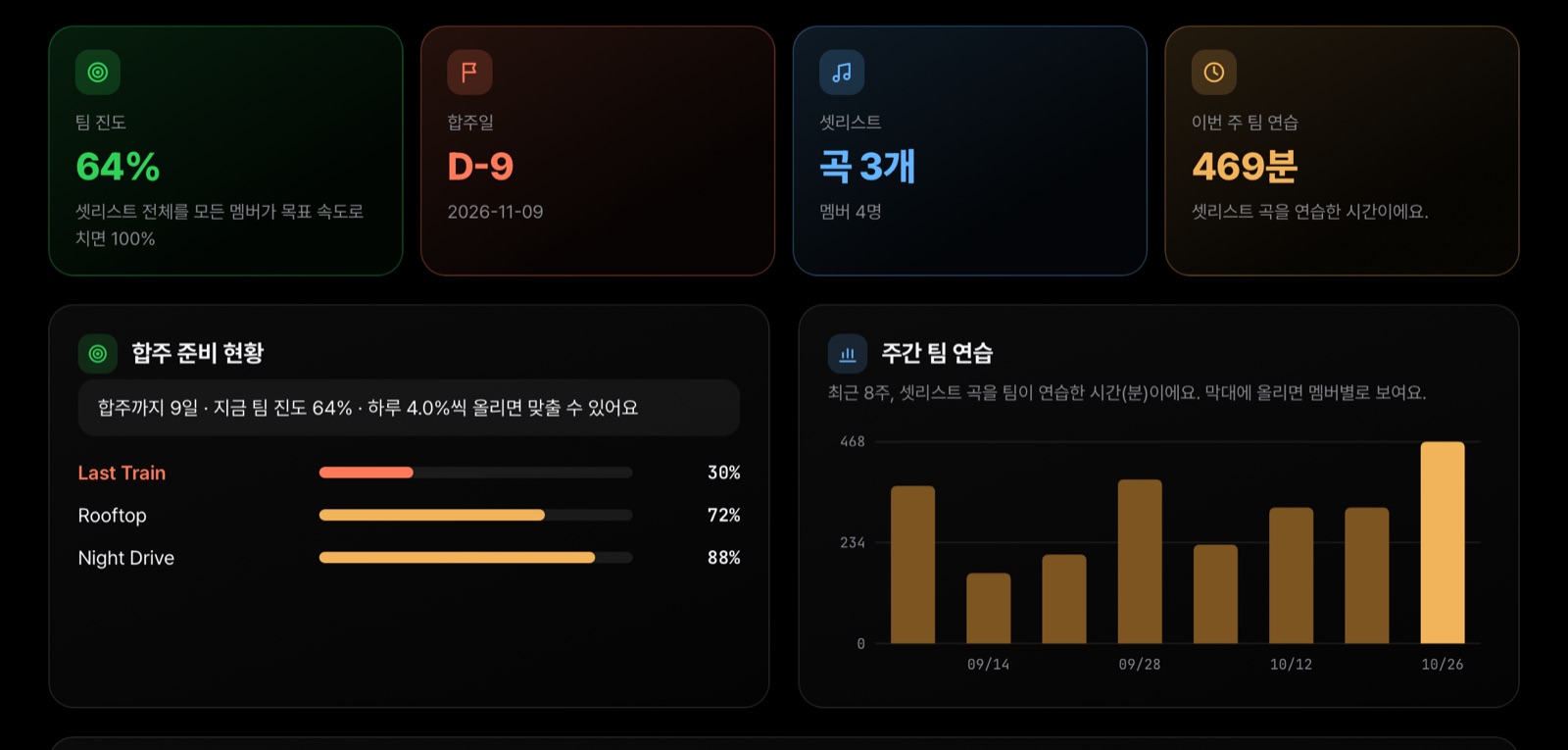
Upload the setlist, invite the band, and see how far everyone has gotten on each song. And how many days you have left.
Pricing
$0Always
Free during betaAfter launch: $7.99/month
As a digital service, Pro is non-refundable once you start using it. Cancel any time and keep it until the end of the paid period. Refund policy
Guitar Pro files (.gp, .gpx, .gp5, .gp4, .gp3), MusicXML, and PDFs exported from Guitar Pro. Scanned or photographed PDFs are not supported yet.
The practice room is free, right in your browser with no sign-up or install, and your library holds up to 20 songs. Creating rehearsal rooms, the studio and unlimited songs are Pro features. Pro is free during the beta, and invited rehearsal members always join free.
If you are not signed in, tabs and practice history stay only in the browser you are using. If you sign in, they are stored privately in your account so you can continue on other devices, and only you can download them. Tabs added to a rehearsal setlist can be downloaded only by members of that rehearsal.
No. The tab is played back with guitar sounds, so the pitch stays the same even at 25% speed.
No. You can use it right away. Signing in saves your tabs and practice history to your account so you can continue on other devices.
Sign in, go to Practice room → New rehearsal, and send the invite link to your bandmates. They open the link, sign in with Google and they are in. Setlist tabs can only be downloaded by members of that rehearsal.
Play a bar from start to finish three times without stopping and the slowest of those passes is saved for that bar. Looping counts, and so does pausing and going back to play it again. Each bar’s saved speed is compared with the target speed (100%); when every bar reaches 100%, the song is at 100%.
They're files we don't support yet, so we keep the file and the error privately to fix it. File names aren't kept, and nobody but the maintainer can see them.
Feedback
Only the ShedTab team reads this. Leave your email if you’d like a reply.
Reaches 100% when every bar is up to target speed (100%).
Tap a bar to jump to it.